A page level on-page SEO audit is a great way to find issues and build stronger results for inner services, products & location pages.
When we audit a local service or location page, we run it through a few different tools and use those insights to decide what actually needs fixing and what is already working fine.
Before doing any fixing, you need to make sure you don’t treat the report like a copy-paste checklist. The report gives us data with an overall health score, passed checks, warnings, notices, errors, etc.
But the tool does not know which fixes will actually improve the page. That is the job of the SEO expert.
Here is the exact type of process we follow when we do a page level SEO audit.
What You Need Before You Start an On-Page SEO Audit
You do not need to run an audit with every tool available on Google. You need information to see the page from three angles: search engine, user, and website performance.
Step 1: Analyze the Audit Score
Start with analyzing the overall page score, issues, warnings, notices, and what is already good.
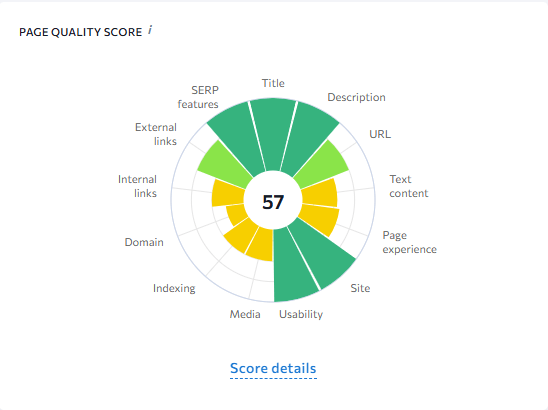
You need SEO expertise for final judgment. For example, you see that the audit says the meta title is fine but does it actually deliver the main search intent?
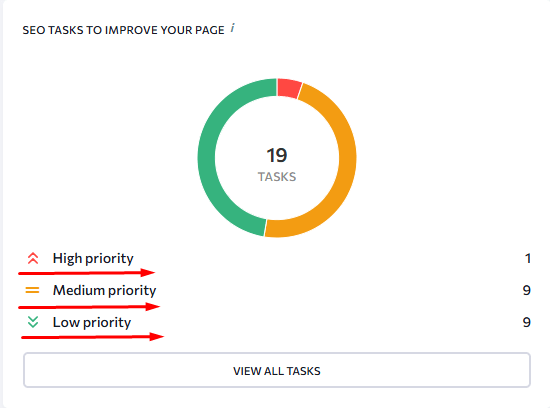
At this stage, we separate the report into three groups:
- High-priority issues that affect rankings or user trust
- Secondary items that need small improvements
- Things that are already working well (after verifying search intent)
Step 2: Check the Title Tag and Meta Description
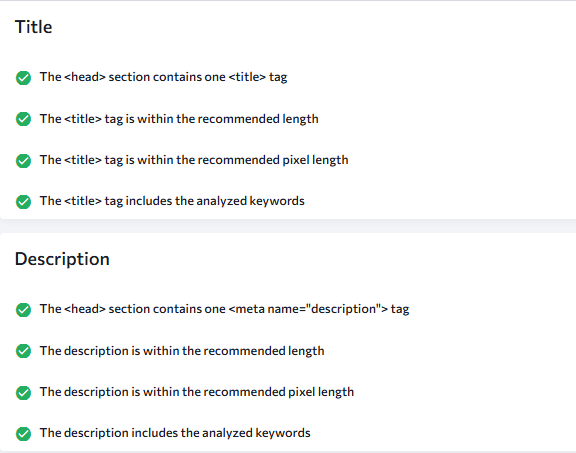
The audit report might show that meta tags are present, but do they actually match the search intent?
Our quick check is simple:
- Does the title exist and is it within the recommended character & pixel range?
- Does it describe the service and business clearly?
- Does the meta description match the page intent and give a reason to click?
- Does the wording sound natural, not stuffed?
So, we should only optimize meta tags if something is missing, too long or too short, duplicated, or completely disconnected from the target keyword.
A good local service meta tag should usually include:
Element | Why I Check It |
Main service | The user should know what the business does. |
City or service area | Local intent needs to be clear. |
Main problem or service type | This helps the snippet feel relevant. |
Call to action | The visitor needs a next step. |
Step 3: Review the URL
Choosing the right URL structure in SEO is not a tough job, but it is a very tricky one.
For example, a URL can be short, clean, lowercase, and free of underscores those are all good signs. But a tool might still flag it for not including the target keyword. For an inner service page or location page, that matters and we would look at fixing it. For a homepage, the URL is the root domain. There is nothing to change.
i.e.
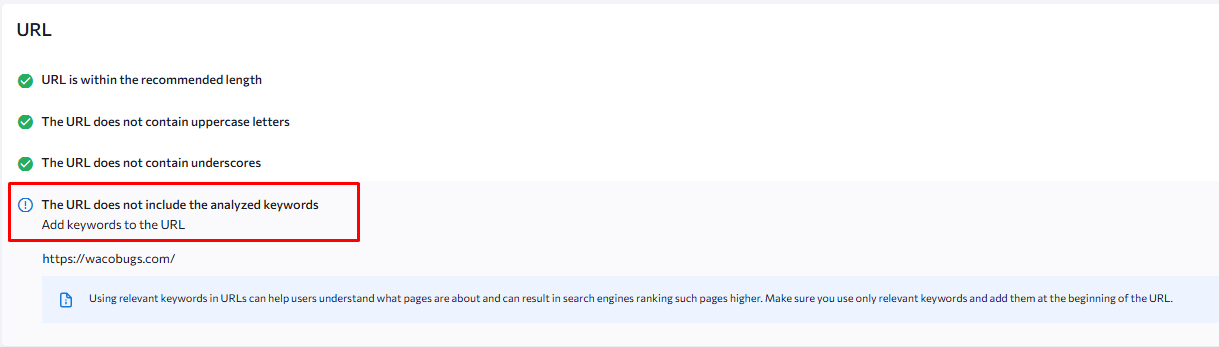
In fact, because of Google’s EMD (Exact Match Domain) update, we do not recommend buying a domain just because it contains a keyword. That kind of thinking belongs to old SEO.
So, if a tool says the keyword is not in the homepage URL, we do not treat that as a fix. We note it, explain why it does not apply, and move on to the things that actually matter.
Step 4: Analyze First 100 to 150 Words for SEO, AEO & GEO
This is one of the most manual checks we should do carefully.
The first 2 to 4 sections should directly answer what the user searched for, match the page’s search intent, and offer something specific enough to stand out from every other page ranking for the same term.

For SEO, the opening should confirm the service and location naturally. For AEO (Answer Engine Optimization), it should answer the user’s most likely question without making them scroll. For GEO (Generative Engine Optimization), the opening should be clear and entity-rich enough for AI systems to understand who the business is, what they do, and where they operate.
If the above-the-fold content is a generic welcome message, a company tagline, or a banner with no content, the page is already losing ground both for rankings and for the user who landed on it.
Step 5: Check the Main Keyword and Supporting Keywords
Next, we look at how the primary, secondary, and tertiary keywords are targeted on the page.
If the report shows 0% usage for the primary keyword in the body content, and secondary terms are missing, that needs fixing.
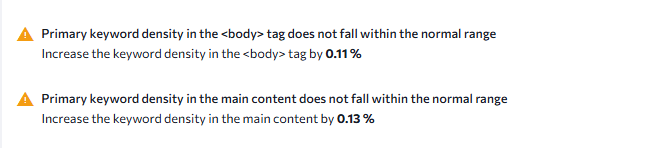
We are not counting keyword density the way old SEO guides used to. Optimize keywords strategically through:
- The H1, H2 & H3’s
- The intro paragraph
- About the Company
- Service sections
- Internal links and their anchor text
- Image alt text where it fits naturally
- Calls to action
Step 6: Review Content Depth
Next, we need to review content depth because having sheer number of words doesn’t matter unless the page covers a specific topic, well-structured information that answers users’ questions.
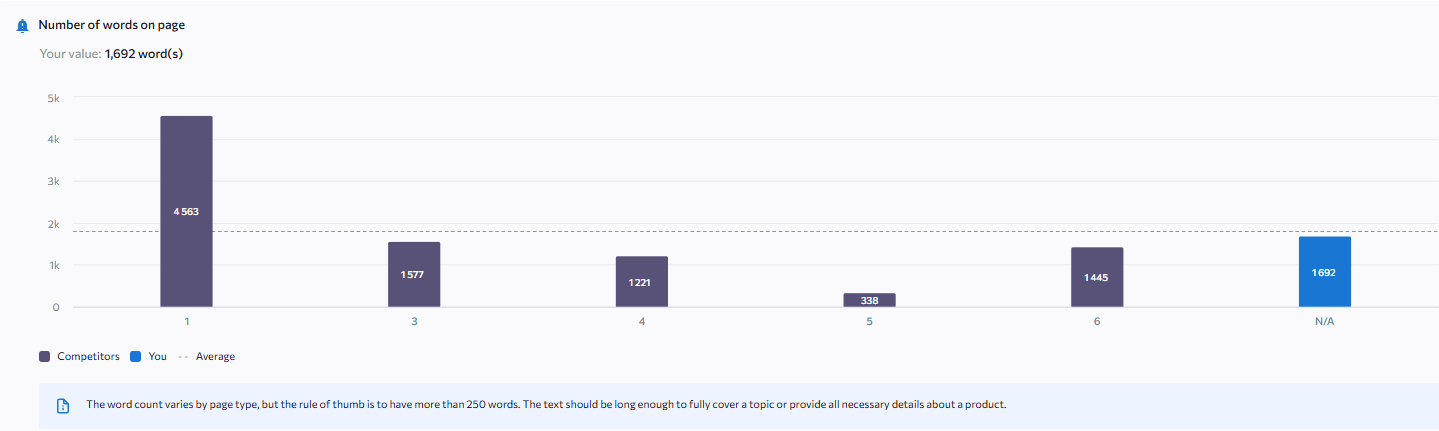
In the audit I reviewed, the page had around 1,692 words with 1,513 words in the main content. The page was not thin. But the existing copy was not specific enough to match the local search intent.
Here is how to add content to the page section by section:
- Hero Section
- Services Section
- Process Section
- Why Choose Us Section
- Service Area Section
- Pricing Section
- Trust Signals Section
- FAQs Section
- Testimonials Section
Step 7: Review Heading Hierarchy
Headings from H1 to H6 should follow a clear order like H1 first, then H2, then H3, and so on. You should never skip a level or jump from H2 to H4 without an H3 in between.
Heading order matters because Google and AI systems both use it to understand what a page is about, which sections answer which questions, and whether the content is worth surfacing in search results.
A better structure might look like this:
- H1: Main Service + City
- H2: What is [Our Services]?
- H3: Service 1
- H3: Service 2
- H3: Service 3
- H2: Our [Service] Process
- H3: Step 1
- H3: Step 2
- H3: Step 2
- H2: Why Choose Us
- H2: Frequently Asked Questions
Step 8: Optimize Images
The media section of the website is one of the most useful when it comes to speed and image SEO. Large images can slow the page before a visitor even reads the first section.
Check images in this order:
Image Check | What To Fix |
File size | Compress large images and keep them under a practical size. |
Display size | Do not load a huge image if it appears small on the page. |
File name | Rename files before upload using keywords and hyphens only. |
Alt text | Describe the image naturally with keywords. |
Repeated images | Avoid loading the same large graphic several times. |
Step 9: Check Page Speed
Test a website with Google’s PageSpeed Insights tool and fix a range of measurements like Core Web Vitals, heavy images, scripts, page-builder files, plugins, maps, forms, fonts, or third-party code.
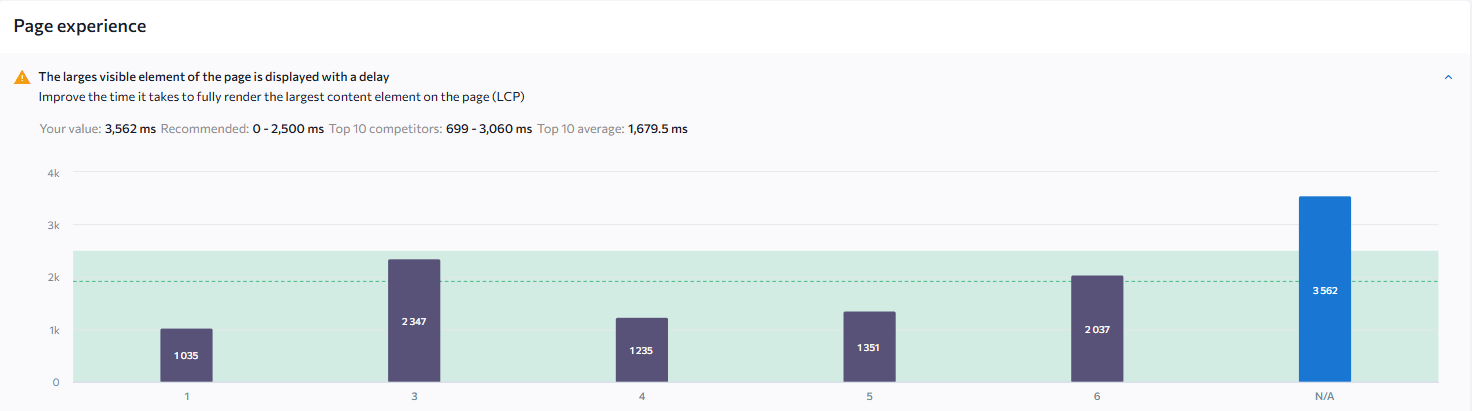
We do not need to chase a perfect score but fix the things that clearly slow down the page and affect real users.
Step 10: Internal Links and Redirects
Next, we review the internal links on the page.
A few things we need to make sure of are:
- Internal links should point to the final live URL, not to an old URL that redirects to a new one.
- Check whether the internal link anchor text is SEO friendly or not. We should prefer anchor text that describes the destination.
- Don’t add internal links in bulk.
- Repeated internal links on buttons like “learn more” should be avoided.
Final Thoughts
This is how we would do an on-page SEO audit using SEO tools and manually. If you don’t have the time or software to run these checks yourself, hiring a SEO audit professional is a smart move. When looking for services that provide page-level on-page SEO audits, avoid agencies that just run your URL through an automated tool and hand you a PDF.
A good provider will not just give you a list of errors; they will tell you exactly which fixes will move the needle for your specific local service or product page.

Mandeep Singh is a Digital Marketing consultant at Strivers Edge, renowned for driving first-page Google rankings for businesses in competitive industries. With more than 10 years in the industry, he specializes in digital and content marketing.